
Introduction: The Proposal Problem That’s Costing You Clients
Try this: something you’ll likely agree with: you spent 30 minutes writing what you think- the ideal Upwork proposal. You hit submit, feeling confident. Then… crickets.
Sound familiar?
I’ve been there. And honestly? It’s frustrating as heck.
But here is the REALITY: The majority of freelancers are wasting HOURS creating proposals that no one reads. They are either too generic, too long or just very boring. Meanwhile, during all that time you are spending writing, other freelancers submit 5-10 proposals. How to Write Upwork Proposals Using ChatGPT
And that is where learning how to write Upwork proposals using ChatGPT becomes your best-kept secret weapon.
Today, I am going to show you how to use ChatGPT for Upwork proposals – your ultimate tool to help you write attention-grabbing proposals that highlight your skills and land clients without spending hours staring into a blank screen. You will discover proven templates, the common pitfalls to be mindful of and insider tricks that work. How to Write Upwork Proposals Using ChatGPT
Answer in brief: How to Write Upwork Proposals With ChatGPT
The secret sauce is that you copy the full job posting into ChatGPT, put in some of your experience and expertise to allow it to write a personalised Upwork proposal. Then you take the output, make it specific with examples, remove all the fluff phrases that could apply to any client and make it match the tone of voice your client would use. Instead of requiring 30-45 minutes for each proposal, this process takes 5-10 minutes.
Why ChatGPT Is a Game-Changer for Upwork Proposals

Disclaim / So, I am not gonna sweeten the deal. The hardest piece of Work on platforms like Upwork is writing proposals.
On Upwork when I began, I would take 45 min for every proposal. I would research the client, write personalised paragraphs and proofread everything three times. But guess what? My win rate fell to nothing like 5%.
And then I realised: speed is as important as quality.
If you are not getting hired on Upwork, it may be because clients hire within the first 24-48 hours of posting a job. And if you are spending an hour per proposal, then you are already ten proposals behind a freelancer who submitted theirs 30 minutes after the job was posted.
ChatGPT solves this problem beautifully. It helps you:
- Save 30-50% or even 70-80% of your writing time
- Maintain consistency across all proposals
- Overcome writer’s block instantly
- It will allow you to adapt your pitch easily according to the type of gig
- Direct more energy into higher-Value Possibilities
But the catch is, ChatGPT will not write everything for you. And honestly? That’s a good thing.
Requirements Before You Begin
Get These Things Before You Learn Upwork Proposals in ChatGPT
Your Core Information Package
Professional Background (3-4 bullet points)
- Your main skill or expertise
- Years of experience or prestige
- Specialised knowledge or niche
Portfolio Pieces (2-3 examples)
- Best work samples
- Relevant case studies
- Measurable results you’ve achieved
Common Pain Points You Solve
- What problems do your clients usually encounter?
- How do you fix them?
- What makes your approach unique?
Your Unique Value Proposition
Why should someone hire YOU over the other 47 candidates?
Pro Tip: Store this in a Google Doc or Notion page. You will be relying on it over and over when using ChatGPT. How to Write Upwork Proposals Using ChatGPT
👉 Free AI Tools That Actually Help You Earn Money in 2026: Your Complete Beginner’s Guide
The 5-Step Process to Write Winning Proposals with ChatGPT
Okay, time for the real deal. This is what I use for every proposal that I submit.
Step 1: Read the Job Posting Thoroughly
Don’t just skim it. Read it 2-3 times.
Look for:
- Pain points the client can get specific about
- Required skills or tools
- Budget and timeline expectations
- Whether or not the client came to the platform for help with their first job as a first-time poster, or whether they have lots of experience posting jobs on this site as an experienced hirer
- Keywords they use repeatedly
NoteToBeginners: If clients use specific tools, metrics or any industry jargon, you can treat that as if they are serious buyers. These are the types of jobs you should be spending your Upwork connects on.
Step 2: Paste the Job Description
Explicitly copy and paste the whole job description. You’ll feed this to ChatGPT. How to Write Upwork Proposals Using ChatGPT
Also note:
- Location of the client (for tone and politeness)
- Their previous hiring history
- Whether or not they have confirmed their payment method
Prompt your own ChatGPT: Step 3
Magic happens here.
An example is not just saying, “write me a proposal.” That’ll give you generic garbage.
Instead, give ChatGPT context. Here’s my basic formula:
text
I'm applying for this Upwork job:
[PASTE JOB DESCRIPTION]

About me:
- I'm a [your role] with [X years] experience
- I specialize in [your specialty]
- I've helped clients [specific results]
- My relevant experience includes [2-3 relevant examples]

Write a compelling Upwork proposal that:
1. Addresses their specific needs mentioned in the job post
2. Highlights my relevant experience
3. Is conversational and friendly
4. Is between 150-250 words
5. Ends with a question or call-to-action
6. Avoids generic phrases like "I'm the perfect fit" or "I'm excited about this opportunity"
See the difference? You are now providing ChatGPT all the necessary ingredients to produce something genuinely useful.
Part 4: Review And Edit This Output
That is where most people come and go wrong. They hit either submit or “send” and have pasted the answer from ChatGPT verbatim*/
Don’t do that.
Instead:
- In the first line, introduce a personal touch
- Replace any generic phrases
- Insert specific numbers or examples
- Match the client’s communication style
- Proofread to remove what seems artificial or robotic
Mistake: Failing to personalise what you do with AI text. This is something that experienced clients will spot instantly, and it hurts your chances immensely.
Step 5: Add Your Secret Sauce
Add one of the following elements before clicking Submit.
- A question more closely tied to their project
- A link to one of your similar work completed
- A short tip or insight On their problem
- A timeline or next actionable step
This shows you actually researched their project, rather than sending out mass applications.
ChatGPT Prompts That Actually Work
I want to provide you with some battle-proven prompts that I have used in different situations.
For Virtual Assistant Jobs
text
I’m applying for this Upwork virtual assistant job:
[PASTE JOB]
I’m a virtual assistant with experience in:
– [specific tools like Asana, Trello, etc.]
– [types of tasks you excel at]
– [industries you’ve worked in]
Create a warm, professional proposal that demonstrates my organisational skills and reliability. Keep it under 200 words and include a question about their specific workflow
One big mistake that most people make when they are looking for Upwork virtual assistant jobs is that they add all possible skill permutations. Put your attention on what THIS client wants. How to Write Upwork Proposals Using ChatGPT
👉Best AI Tools for Beginners in 2026 (Practical, Free & Easy to Use)
For Shopify/E-commerce Projects
text
Job posting:
[PASTE JOB]
My background:
– Shopify product listing expert
– Experience with [specific tools]
– Completed [number] similar projects
– Average client rating: [your rating]
Write a results-focused proposal that emphasises efficiency and attention to detail. Include one specific suggestion based on their job description. How to Write Upwork Proposals Using ChatGPT
Specific → If you are targeting Shopify product listing work as many successful freelancers do (just look at the work done by experts on Upwork for something like “Shopify product listing” – they get this right), wwwwww.
For Complex or High-Budget Projects
text
This is a $5,000+ project requiring [main skill]: [PASTE JOB] My qualifications: – [Years] experience in [field] – Worked with clients like [types of clients] – Achieved results such as [specific metrics] – Specialized knowledge in [niche area] Create a confident, professional proposal that positions me as an expert. Include: 1. Brief acknowledgment of their challenge 2. My relevant experience (2-3 sentences) 3. My approach to solving their problem (3-4 bullet points) 4. A question about timeline or priorities Keep it under 300 words but make every sentence count.
How to Customise ChatGPT Output (This Is So Important!)
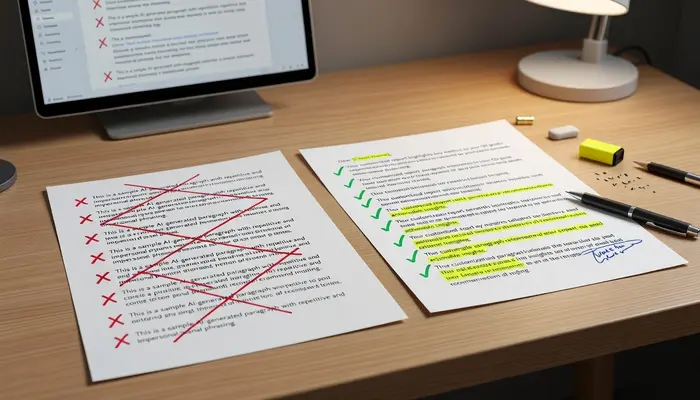
ChatGPT has planned you; it has not delivered the product yet.
Here’s my 5-minute personalisation checklist:
☑ Opening Line Test
Is the first sentence captivating? Start with “I am writing to express my interest… delete it and say something real
Try these instead:
- Write “I just saw your post about [the specific problem] and immediately I thought of [the solution]…”
- “I came across your project here on [real reason why you are interested in the project]…
- I have done something 99% similar to this and worked just like this…”
☑ Get Rid of These AI Giveaways
- “I am confident that…”
- “With my extensive experience…”
- “I would be thrilled to…”
- I welcome the opportunity…”
Replace them with:
- “I’ve done this before, specifically…”
- “Here’s what I’d suggest…”
- “Fancy a quick example?
☑ Add Numbers and Specifics
For example, here is how to change “I have experience with social media.”
I have run Instagram accounts from 500 to 15k followers in six months.
☑ Match Their Energy
Casual job post? Write casually.
Formal corporate project? Be more professional.
Startup looking for creative help? Show personality.
Top 10 Common Errors that Slay Your Proposals
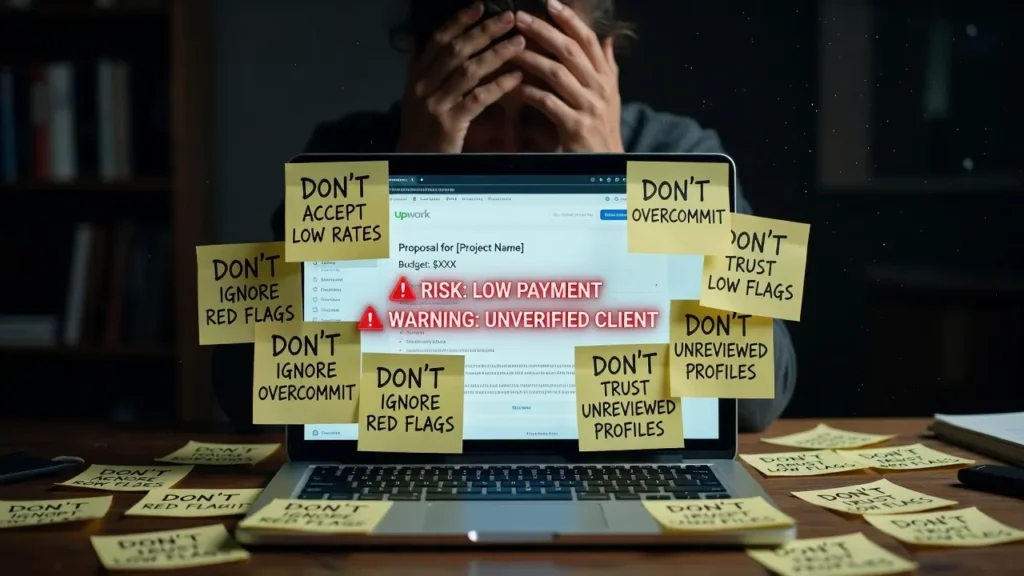
Get over the heartbreak of it. These errors have cost me clients:
Mistake # 1: Same Proposal On All Jobs
However, even with ChatGPT you need to personalize each proposal. Clients can tell if you’re copy paste.
I learned this the hard way. An accidental slip when a proposal referenced the wrong company, for example. Yeah, that was embarrassing.
Error #2: It’s About You, Not Them
It should be 70% their problem, and 30% your solution.
Wrong: “Graphic Designer 10 Years Experience Creative”..”
But:“Your logo has to look good on mobile apps, printed materials and merch. As a former Head of Brand I’ve built over 20+ flexible brand systems for startups that work seamlessly across channels and sizes. And here is what I would offer for yours…” How to Write Upwork Proposals Using ChatGPT
👉 20 Best Faceless YouTube Channel Ideas for Beginners (High RPM Niches 2026)
Mistake #3: Writing a Novel
Long proposals don’t win jobs. Clear, concise ones do.
Aim for 150-250 words. That’s about 3-4 short paragraphs.
The fourth mistake: Not reading the client and getting a sense of history.
Check if they:
- Have hiring experience (if yes, how do they respond to feedback?)
- Step 2: Verified PayPal (if not, proceed with caution)
- Posted similar jobs recently
DO NOT: Throw everything you CAN do out there to see what sticks. Upwork should match exactly what the client is LOOKING FOR. How to Write Upwork Proposals Using ChatGPT
Mistake # 5: Using Connects on the Wrong Types of Jobs
What are Upwork connects? Think of them as the currency you use to place proposals. They only dynamically provide you a handful each month.
Don’t waste them on:
- Jobs posted older than 5 days
- Clients with no payment verification
- Suspiciously small prices for complex work
- Dark job descriptions without specificity
To give you an idea, it costs approximately $150 for 1000 connects on Upwork, so use them wisely.
Real Example: Before vs. After Using ChatGPT
Here is a real example of the before and after transformation.
Job Post Summary:
Job Description: Searching for a person to manage my emails, appointments, and basic social platform posting. Must be organised and responsive.”
BEFORE (My Original Proposal — 45 min writing to write):
“Hello,
You are applying for an assistant job, and you write to me (on the basis of knowledge available until October 2023): Montreal, Quebec (Canada) – Senior Executive Assistant with extensive experience in administrative tasks and email management, as well as social media coordination. How to Write Upwork Proposals Using ChatGPT
After working with several clients, I now have a good mix of time management skills, communication skills, and some level of technical skills (Gmail, Google Calendar, etc.
My background and expertise should make me a great fit for this position—and I look forward to discussing how I can make your life easier. My availability is immediate, and I am open-minded about my schedule. How to Write Upwork Proposals Using ChatGPT
Thank you for your attention to my application. Hope to hear from you soon.
Best regards,
[Name]”
Result: No response. And honestly, I’m not surprised. It is dull, it is generic and there is nothing catchy about it.
AFTER (ChatGPT + 10 mins personalisation)
“Hi [Client Name],
Inbox chaos and scheduling conflicts? I totally get it.
Virtual assistant for email management and calendar coordination I recently assisted a marketing consultant with getting from 200+ unread emails to inbox zero in under 3 days, then building systems to prevent it from happening again. How to Write Upwork Proposals Using ChatGPT
For your needs, I’d suggest:
- Canned emails and templates for email filters on frequent requests
- An efficient scheduling tool (I am certified in Calendly and Acuity)
- The social media posting process–30 minutes a week
I am online during EST business hours and generally reply within 2 hours.
Just a quick question: What is the biggest pain point for you right now —the email backlog or scheduling conflicts?
[Name]”
Result: Response within 3 hours. Interview scheduled. Hired at my proposed rate.
See the difference?
The second one:
✅ Opens with empathy
✅ Gives a concrete example with outcomes
✅ Offers concrete solutions
✅ Shows availability clearly
✅ Ends with some question that draws in engagement
Using Advanced Tips to Increase Your Number of Responses

Ready to level up? Here are some insider strategies. How to Write Upwork Proposals Using ChatGPT
Tip #1: The Quick Win Strategy
When you make your proposal, give them one tiny change that they can take action on.
It didn’t have a link to your Instagram bio, so I said; I’d suggest a basic Linktree…”
It is a way for you to show that you’re going to talk about their pain.
Tip #2: Client Research With ChatGPT
Use this prompt before you write your proposal:
text
This Upwork client posted this job: [PASTE JOB] Based on this description, what are their likely: 1. Main pain points 2. Business goals 3. Concerns about hiring someone 4. Previous bad experiences with freelancers Help me understand what they REALLY need so I can address it in my proposal. How to Write Upwork Proposals Using ChatGPT
That gives you things that you can use to customise your pitch.
Third Tip: Create a good proposal library
Write a whole 5-7 different templates that you use for your most common job types in ChatGPT.
Then modify each one where necessary. This limits your time even further. How to Write Upwork Proposals Using ChatGPT
Tip #4: The Bold Text Trick
How to Write Bold Text in Upwork Proposal: Well, More Work to Be Done
Use asterisks: your bold text here
Harness THIS for highlights — with scarcity:
- Your main value proposition
- Specific results or numbers
- Your core expertise
Keep it minimal: No more than 1 or 2 bold phrases per proposal
Tip #5: Portfolio Link Strategy
Never say “Just check out my portfolio”
Instead: “I have an almost identical project here that I created: [special link to the repository, video lecture]” How to Write Upwork Proposals Using ChatGPT
Ensure that it is easy for them to find your relevant work.
How Upwork Connects Work, And When To Use Them
Now that we are discussing proposals, let’s go over what connects are in Upwork.
Connects are the credits you use to submit proposals. Based on the job, a proposal costs between 1–16 connects. How to Write Upwork Proposals Using ChatGPT
You are awarded 10–80 free connects per month (based on membership level).
When Connects Are Worth Spending:
✅ 24 Hour Job Post
✅ 5+ hires and good feedback by the client
✅ Budget matches your rate
✅ The description of the job is thorough and precise
✅ Client is responding to questions
When to Save Your Connects:
❌ Job posted 7+ days ago
❌ Client has not hired before
❌ Budget is below and far from market rate
❌ Múltiples generales pero sin datos
Red Flags (free work, ask you to move off platform)❌
Note for a Beginner: At the very beginning, you would want to apply to everything. Don’t. Quality over quantity always wins. How to Write Upwork Proposals Using ChatGPT
How to make REAL coin on Upwork?
You probably wonder if you can actually make 10k a month on Upwork, right?
Short answer: Yes, absolutely. How to Write Upwork Proposals Using ChatGPT
But here is the reality: that shit doesn’t happen with a snap.
The proven pattern for most of the successful Upwork freelancers who reach $10K/month:
Months 1–3: Same profile, first reviews, $500–2000/month
Months 4-6: Scale feedback, increase prices to $2k-5k/month with returning customers
Months 7-12: Hit Top Rated, make $5k–10k/month
If you write faster because of ChatGPT, that means more quality job applications in an hour; thus decreasing the time between applying and getting hired. How to Write Upwork Proposals Using ChatGPT
A COMPARISON WITH OTHER PROPOSAL METHODS ON CHATGPT
I will explain this to you in detail:
| Method | Time Per Proposal | Quality | Customization | Best For |
|---|---|---|---|---|
| Manual writing | 30-45 min | High (if you’re good) | Maximum | High-value projects only |
| Templates only | 5-10 min | Low-Medium | Minimal | Mass applications (not recommended) |
| ChatGPT + customization | 10-15 min | High | High | Most situations |
| Hiring a VA to write them | Varies | Inconsistent | Medium | Established freelancers with budget |
As such, you can see yourself that ChatGPT usage on Upwork proposals strikes the best spot on quality and speed of writing. How to Write Upwork Proposals Using ChatGPT
Websites Similar to Upwork [Do You Also Need ChatGPT ~ There?]
Absolutely!
The same techniques are effective for websites like Upwork, including:
- Fiverr (for proposal responses)
- Freelancer.com
- Guru.com
- PeoplePerHour
- Toptal (the vetting, though, is harsher)
The main proposal principles of personalisation, specificity, evidence of results and ease or client focus are unchanged. How to Write Upwork Proposals Using ChatGPT
Client Response Examples: Sample Feedback Paraphrased
Bonus: Occasionally clients scoot reviews to Upwork test jobs prior to securing the gig.
Utilise ChatGPT for writing responses.
text
The client asked: “[their question]” Help me write a professional, helpful response that: 1. Directly answers their question 2. Demonstrates my expertise 3. Stays concise (under 100 words) 4. Encourages further conversation My relevant experience: [brief context]
If you reply with short answers that add a lot of value, you significantly increase the chances of getting hired. How to Write Upwork Proposals Using ChatGPT
What Is Job Success Score (JSS) All About?
Q: How to obtain 100% JSS on Upwork?
Here’s what actually matters:
- Complete projects successfully (obviously)
- Be proactive (keep your clients updated before they even ask you)
- Set (and not before) the right expectations
- Professionally manage issues (and they will occur)
- Request feedback (request reviews)
But little do many know that your proposals impact JSS indirectly.
How?
Better proposals → better clients → higher-quality project(s) → better feedback (reviews) → a higher JSS
You are triggering a success chain reaction when you’re discovering how to write Upwork proposals using ChatGPT.
Step-by-Step: Your First ChatGPT Proposal (Complete Walkthrough)
So, let’s work step by step to build your first proposal together. How to Write Upwork Proposals Using ChatGPT
Step 1: Find a Suitable Job
Log in to Upwork and look for a job that:
- Matches your skills
- Has a reasonable budget
- Has been published in the last 24–48 hours
We’ll use a blog writing job as an example;
Step 2: Gather Key Information
Note these details:
- Client’s name (if available)
- Number of applicants
- Client’s previous hires
- Specific requirements mentioned
Step 3: Open ChatGPT
Go to chat. openai. com or use the ChatGPT app.
Step 4: Input Your Prompt
Here’s exactly what to type:
text
I’m applying for this Upwork blog writing job:
[PASTE THE ENTIRE JOB DESCRIPTION HERE]
About me:
– I’m a content writer with 3 years of experience
– I specialise in [your niche, e.g., SaaS, health, finance]
– I’ve written for blogs that get 50K+ monthly visitors
– My articles typically rank on Google’s first page within 2-3 months
Create a compelling Upwork proposal that:
1. Opens with a personalised line about their specific needs
2. Briefly demonstrates my relevant experience (2-3 sentences)
3. Offers one specific insight or suggestion for their blog
4. Is conversational and friendly (not overly formal)
5. Is 150-200 words total
6. Ends with a question that encourages response
7. Avoids clichés like “I’m perfect for this job” or “I’m passionate about…”
Step 5: Review ChatGPT’s Output
Read what it generates carefully.
Step 6: Personalise It
Make these edits:
- If it’s too generic, change the opening
- Base Article Which You Wrote/Topic
- Numbers/metrics here if you have them
- Match your tone to the client’s.
- Add your personality
Step 7: Run a Final Check
Ask yourself:
- Does this sound like me?
- If I were the client would this get me to respond?
- Have I addressed their #1 issue?
- Do keep in mind, however, that you are working with the odds until something changes.
Step 8: Copy over to Upwork & submit
Upwork has a box for the proposal, so you paste your final proposal there. How to Write Upwork Proposals Using ChatGPT
Pro Tip: Read it out loud before you submit! Make any parts that feel clunky or awkward right.
A CASE STUDY: Sarah Used ChatGPT to Write a Proposal and Sell It.

I will give you an actual example with a person that I coach.
Background: Sarah has a background in graphic design and had 1 year of experience on Upwork. She wrote proposals for 2–3 hours each day, but her proposal response rate was only approximately 8%. How to Write Upwork Proposals Using ChatGPT
THE PROBLEM: SHE WAS BURNING OUT AND THINKING OF LEAVING UPWORK
Now this is the solution: I show my sister how to write Upwork Proposals using ChatGPT.
Her Process:
- Week 1 — Studied ChatGPT and built 5 proposal templates
- W2: 15 applications (max): ChatGPT + personalised
- No, I did not follow up on anybody since Week 3: 4 responses; 27% response rate!
- Week 4: Landed 2 clients
Results After 2 Months:
- Response Rate: (Increased by 8% to 23%)
- Allowing the amount of time spent on each proposal to drop from a high of 40 minutes down to just 12.
- Monthly revenue jumped from $800 to $3,200
- She did a design course and took the time to learn her tools
Her biggest lesson? ChatGPT sorts the structure and grammar. I add the character and detailed examples. It’s the perfect partnership.” How to Write Upwork Proposals Using ChatGPT
Advice For Top Upwork Earners
I contacted a few Upwork freelancers earning $5K-15K per month. This is what they had to say about proposals: How to Write Upwork Proposals Using ChatGPT
Advice from Marcus (Web Developer, $12K/month median)
I generate three different versions of the proposal using ChatGPT: casual, professional and technical. Then I select the one that best conforms to the tone established by the client. 15 minutes in total but could sure pass for an hour. How to Write Upwork Proposals Using ChatGPT
Tip from Jennifer (Content Strategist, Earns an average of $8K/month):
I have ChatGPT analyse the job post and decipher what the client is thinking of CRITICAL fears behind it. I then address those objections in my proposal. My response rate tripled.” How to Write Upwork Proposals Using ChatGPT
David’s Tip (Virtual Assistant: $6K/month average):
ChatGPT, Write Me Mini Onboarding Plan Specifically For Upwork Virtual Assistant Jobs In My Proposals. This proves I already am thinking about systems and processes. Clients love it.”
FAQ About Using AI On Upwork
This raises the question: Is using ChatGPT against Upwork’s rules?
No! AI writing tools to use for proposals with Upwork — Based on the information up until October 2023, here are a few options that will work with Upwork. You are using it the same way you would an assistant — not to substitute for the human. How to Write Upwork Proposals Using ChatGPT
Just make sure:
- You personalise every proposal
- You can back up everything you say
- Your work itself actually belongs to you
Will clients know I used ChatGPT?
Only if you use it poorly.
Yes, if you copy-paste without editing, it’s obvious. Nobody knows (or cares) if you use it as a base for your starting point and then infuse your voice.
Think of it like spell-check. It is a tool that helps you tell a better story
Do I use my Desktop Memory for ChatGPT?
Not really; ChatGPT runs in your browser or app. It does not encroach on your desktop memory storage. All of your conversations are stored in your ChatGPT account, not on the PC.
A non-technical layperson might wonder, “Does ChatGPT use my desktop memory?” out of privacy concerns — but it strictly runs in the cloud.
How much does ChatGPT cost?
ChatGPT has a free version that is good for basic proposals.
ChatGPT Plus ($20/month) offers:
- GPT-4 access (smartest, most nuanced responses)
- Responsive during peak usage hours
- Priority access to new features
When you’re beginning, it frequently gives everything you can require for Upwork proposals with its complimentary version. How to Write Upwork Proposals Using ChatGPT
Troubleshooting: What if the ChatGPT Proposals Don’t Work
Not getting responses? Here’s what to check:
Issue: Proposals sound beautifully generic sounding even though they are written using ChatGPT.
Solution: The prompt you entered is not specific enough. Provide ChatGPT with more information regarding your unique experience, as well as the particular needs of the client. How to Write Upwork Proposals Using ChatGPT
Problem: Proposals are too long
ST: Description 1INT: Add “Keep it under 200 words” to your prompt. Then trim another 20% yourself.
Issue: Wrong tone set by the client
The fix: add tone indicators to your prompt: “Write this in a friendly, casual tone” OR “Professional and corporate. How to Write Upwork Proposals Using ChatGPT
Problem: Still not getting interviews
Solution: The problem may not be your proposal. Check:
- Get your Upwork profile ready and optimised
- Do you have portfolio samples?
- Are you applying for jobs that are appropriate for your level of experience?
- Based on your experience, is your rate competitive?
The Proposal Follow-Up Strategy
This brings us to something very few freelancers do, which is follow up.
If you have not heard back in 3–4 days, drop them a quick note on Upwork :
Use ChatGPT for this too:
text
I submitted a proposal for [job title] a few days ago. The client hasn’t responded. Write a brief, friendly follow-up message that: 1. Reminds them of my proposal 2. Adds one additional piece of value 3. Asks if they need any clarification 4. Stays under 75 words 5. Doesn’t sound desperate or pushy
According to this simple step can bring back the dead opportunities.
Tools to Use Alongside ChatGPT
These tools make ChatGPT even more powerful and specifically tailor it to Upwork:
Grammarly (Free)
Catches any typos or grammatical errors that ChatGPT might make.
Hemingway Editor (Free)
Checks readability. Most proposals should be at the Grade 6-8 reading level
Upwork Mobile App
Be quick to apply when new posts are created. Speed matters!
Notion or Google Docs
Keep your ChatGPT prompts, proposal templates and client research.
Thus, I started scaling up, and my sales increased from 5 to 50 proposals per week
So, once you learn the art of writing Upwork proposals with ChatGPT, you can scale it massively.
Here’s my weekly routine:
- Monday: Identify 15-20 perfect-fit jobs
- Huddles: Tuesday (10 Proposals with ChatGPT) 2 hours total
- Wednesday: Proposals remaining 10 (2 h)
- Thursday: Chase up last week’s proposals
- Friday: What worked, templates
It allowed me to submit more than 20 high-quality, personalised proposals per week while still leaving room for client work.
Before ChatGPT? I was applying for 5-7 proposals a week and getting overwhelmed.
How to Handle that Initial Response
Exciting moment! Client wants to interview you.
Use ChatGPT here too:
text
A client responded to my Upwork proposal with this message: [PASTE THEIR MESSAGE] Help me craft a response that: 1. Thanks them for their response 2. Answers their questions directly 3. Shows enthusiasm without being over-eager 4. Confirms my availability 5. Moves toward scheduling a call or starting the project
Stay professional, responsive, and clear.
Frequently Asked Questions (FAQ)
So can ChatGPT write a proposal from 0 to 1?
Of course, ChatGPT can draft an entire proposal, but it should always be something you edit. Just supply ChatGPT with the position and your own background, then get specific in the output with examples of your work and tone. How to Write Upwork Proposals Using ChatGPT
How to Write a proposal in Upwork for a beginner
Even if you have no paid experience, start by stating what you can do. You can write relevant coursework, personal projects or practice work. ChatGPT formulates the lines of your mind, spice them with zeal and a will to learn.
According to you, what is the best way to begin writing your proposal?
If the job post mentions a workshop to find candidates, don’t just write “I’d like to discuss this opportunity further”. Steer clear of “Dear Sir/Madam” or “I am writing to apply”. Instead write: “I saw you struggling with [specific problem] and I actually fixed this exact issue for [relevant example]. How to Write Upwork Proposals Using ChatGPT
How clients view your Upwork proposal
Clients view your proposal text, profile photo, job success score, hourly rate, and a preview of your profile. With a click they can view your entire profile, portfolio and reviews. Double-check that you use the same format in everything (it all needs to look slick and professional).
Write in Bold text : Strong prose for Upwork Proposal.
Put asterisks around stuff: this will be bold Use only when you want to make sure that some key information like results, expertise or the main proposition value is shown. Avoid overusing: one or two instances of bold text each proposal at most. How to Write Upwork Proposals Using ChatGPT
How to have your ypurs on UpWork accepted?
Respond to jobs that are posted as quickly as you can, personalize each application, target the client pain point directly with utility software solution related angle for your proposal, attach relevant work samples along with a good logical question within the Job Proposal again highlighting utility angles and factors behind it coupled up well so what works great on such job gravity levels!!
So, how do you write a freelance proposal that stands out?
Spend 70% time on the customer and 30% on your solution Be specific with numbers not generic phrases, Mimic the form of communication the client already uses, keep it to 150-250 words max and include a callout question at the end that drives response. How to Write Upwork Proposals Using ChatGPT
What are Upwork connects and how many do I need
Connects are credits do submit proposed jobs. Each proposals will cost 1-16 connects based on the job. 10-80 connects per month are free for accounts. Utilize them wisely on newly posted jobs with verified payment methods and detailed descriptions.
Conclusion: Your Upwork Path Begins Here
Using ChatGPT to learn Writing Upwork is not cheating your way into anything – or doing things the easy way.
It’s about working smarter.
You are still rearing your knowledge, your skillset, and your idiosyncratic point of view. The only thing ChatGPT does is to help you say it more efficiently.
Put it like this: Prior to email, people used to take hours manually writing letters. Email didn’t make communication less real, just quicker and more streamlined. How to Write Upwork Proposals Using ChatGPT
ChatGPT is the same principle.
So this is what I want you to do right now.
- Open ChatGPT
- Look for a single Upwork job that you’d like to apply on
- Apply the prompts provided in this guide
- Customize the output
- Submit your proposal
That’s it. Don’t overthink it.
Your first proposal will not be the greatest. Neither was mine. However, for each one, you will improve at describing what you want ChatGPT to do and at customising the output.
Next thing you know, you’ll be getting clients, establishing relationships, and asking yourselves, can you make 10K a month on Upwork (spoiler: you sure as hell can).
Not the best talent are not always the best freelancers. These are the people who continue to be present, communicate and seek opportunities to improve their systems. How to Write Upwork Proposals Using ChatGPT
You’ve got this.
Your Next Steps
Want to APPLY this?
Today:
- Save your professional background information
- Bookmark this guide for reference
- Step 1: Create an Account In ChatGPT (if you dont have one already)
This Week:
- How to use the ChatGPT method to apply for 5 jobs
- Track which approaches get responses
- Train and adapt your templates according to results
This Month:
- That is build a portfolio of winning proposals
- Target a 15-20% reply rate
- Get your very first client (or next client)
Keep in mind: Every professional freelancer on Upwork began exactly where you are now. The only difference is they actually did it.
If you think this guide is great, share it with a friend or colleague who wants to get started making money online using AI!
Questions about ChatGPT for Upwork proposals? I will do my best to help you, please drop a comment below!
1 thought on “How to Write Upwork Proposals Using ChatGPT: Land Clients 10X Faster in 2025”